This site: not a portfolio, a proof file
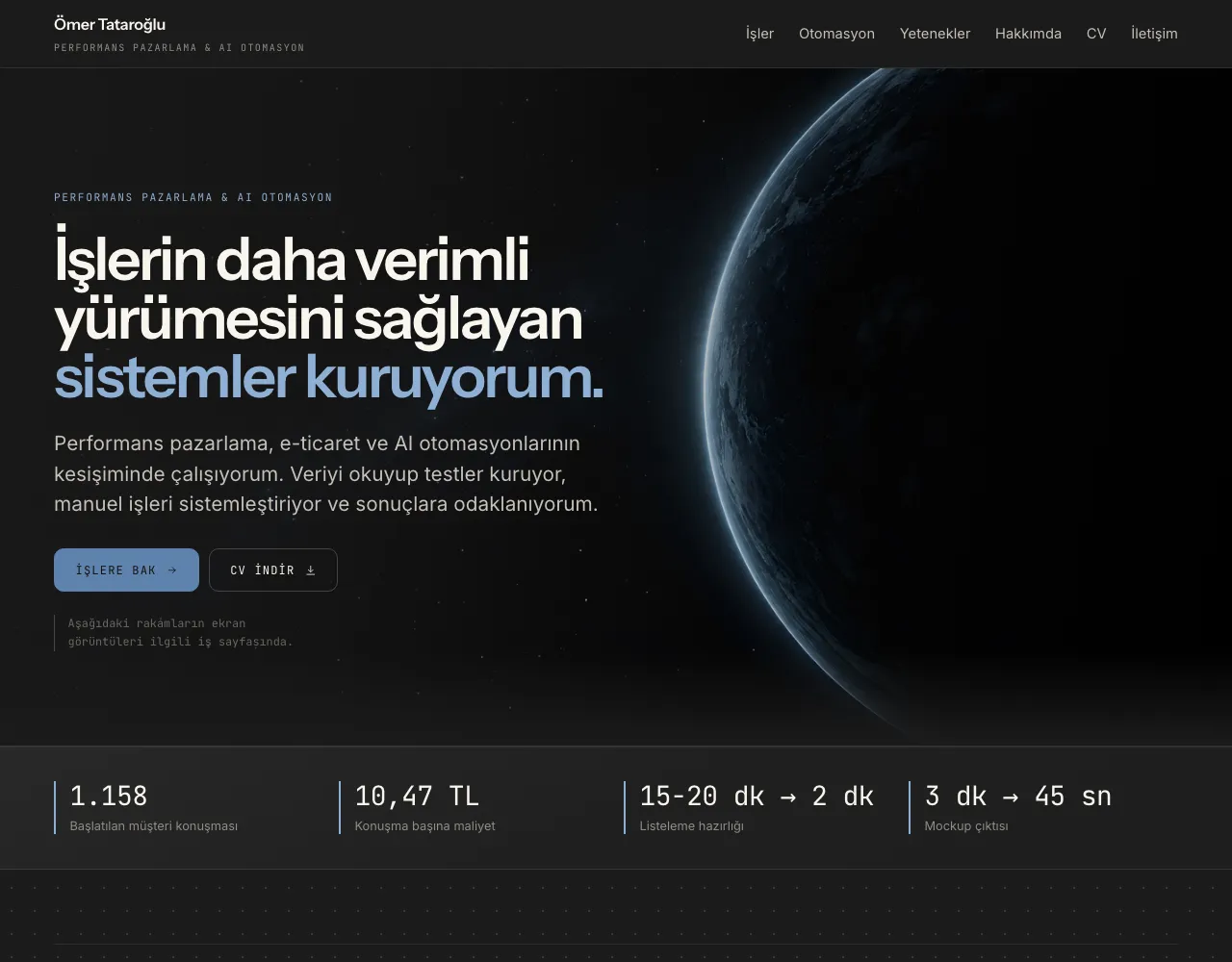
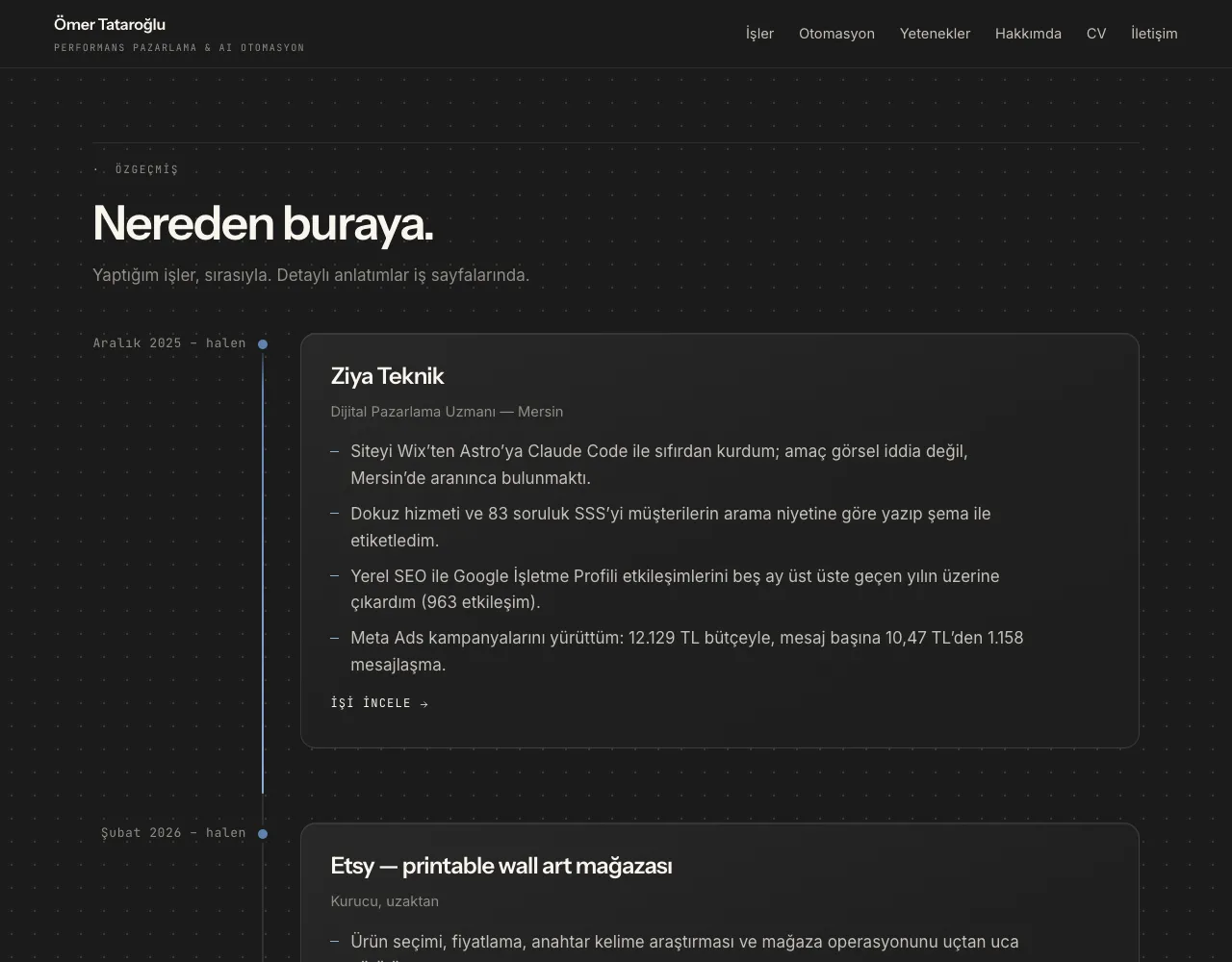
I designed and built the site you’re reading with Astro. Every number has a screenshot next to it, the n8n workflow can be explored in the browser, and adding a new project is a single markdown file.
Visit the site- Role
- Strategy, design, content and development
- Period
- Sep 2026 – present
- Platforms
- Astro, Claude Code, Cloudflare Workers, GA4, GitHub
- 41 nodes n8n workflow you can explore in the browser
- 0 Client-side frameworks (React, Vue…)
- 1 file All it takes to add a new project
Context
When I started job hunting, I had two problems. First, writing “I know Meta Ads” or “I built automations” on a CV proves nothing; everyone writes the same sentence. Second, a big part of my work (the n8n workflow, the GPT rule sets, the Photoshop script) doesn’t fit in a PDF. You have to see it running to see it at all.
The decision: not a portfolio, a proof file
Before building the site, I set one rule: if there’s a number, there’s a screenshot next to it. Not “I lowered CPA”, but “TRY 10.47 per conversation on this campaign; here’s the dashboard screenshot, and here’s how I did it.”
That rule shaped the site’s structure too. Work without proof ready isn’t on the
site; it isn’t deleted from the code but waits as a draft. Instead of the
classic grid of three equal cards, the projects with the strongest proof get
large cards up front.
What I did
1. Design system
I chose a “control panel” language: a dark background, a single accent color, numbers set in monospace and aligned. Screenshots are the star of the site; every surface acts as their stage and doesn’t put on a show of its own.
Colors, glass surfaces, corner radii and spacing live as tokens in a single CSS file. The accent color has two tones: one for text (7.3:1 contrast on small monospace text) and one for fills. On my first attempt I used a single tone, and small labels washed out against the background.
2. Interactive proof
This is where most of the effort went. Instead of dropping in a screenshot of the n8n workflow behind the Etsy listing automation, I redrew it in the browser: 41 nodes, 49 connections. Visitors drag to explore the diagram, click a node to read what it does, and can play the flow from start to finish.
I can’t share the GPTs’ rulebooks. In their place I built a “rule map” component: input, the rules being checked, and output columns side by side. It answers the question an employer is really asking: not what the GPT writes, but what it writes by. The Photoshop script is shown with a screen recording.
3. Content pipeline
Every project is a markdown file. At the top: role, period, platforms, numbers and gallery; below: the write-up. Categories, cards, the menu and the detail page are all generated from that file. Adding a new project means one file and a few screenshots.
The timeline, the skills list and the automation cards aren’t baked into the
code either; they live in separate data files. The brand logos in the skills
list are drawn at build time from the simple-icons package; there are no
separate image files.
The site is bilingual: Turkish at the root, English under /en. Every
component reads the language from the URL, and the language switcher takes you
to the same page in the other language.
4. Speed and deployment
The site is static: Astro generates HTML at build time, and no React or similar framework is sent to the browser. The interactive pieces (the flow diagram, the timeline, the menu) are small, independent scripts. Images are converted to WebP and generated at the right sizes during the build.
It’s deployed on Cloudflare Workers. I turned off the workers.dev and preview
addresses; the same content published at two addresses means duplicate content
for search engines. A missing address lands on the site’s own 404, not on
Cloudflare’s plain page.
5. SEO and tracking
Every page has a canonical address, an Open Graph image and Person schema.
Case pages are marked up as CreativeWork. The sitemap is automatic, and each
page points to its counterpart in the other language with hreflang. GA4 shows
me which project pages are being read.
Result
The first version went live in September 2026, and I’ve kept developing it ever since. When a visitor sees a number, its source is two clicks away. It’s a work tool for me too: when a new project wraps up, collecting the screenshots and writing one markdown file is all it takes.
Screenshots of the work
The numbers are left exactly as they appear in the dashboards.
If you have a question about this project, drop me a line.
More in Websites
- Ziya Teknik: from Wix to Astro, a service site that gets found I rebuilt the Wix site from scratch with Astro. Seven services written in the language of search, an 83-question FAQ marked up with schema, and every phone tap tracked. Read the case
- Ziya Teknik QR channel: bringing in-store customers online One QR code on the counter turns the moment of payment into a follower and a Google review. Customers who visit the shop no longer vanish once they walk out the door. Read the case